





How to play Chronophoto
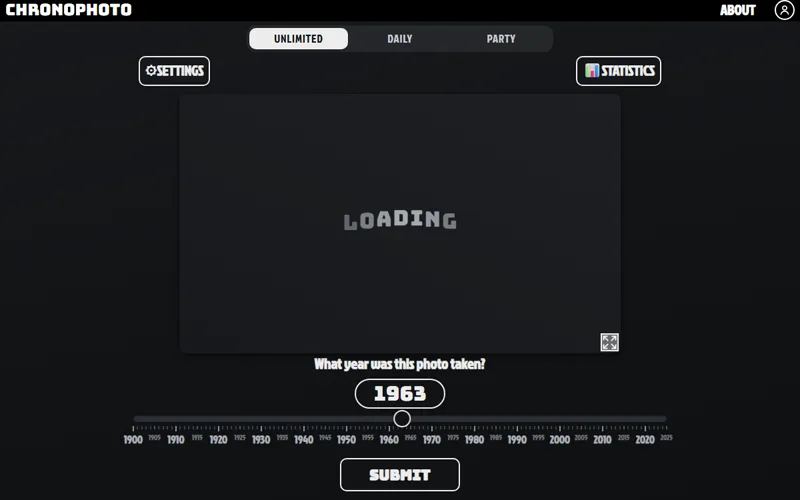
Chronophoto (often searched as Chronophoto game or Chronophoto daily) is a free browser history puzzle frequently described as "GeoGuessr for time." Instead of pinning a place on a map, you examine five real historical photographs—ranging from 1900 to the present day—and pinpoint the exact year each photo was taken.
Every round is worth up to 1,000 points, giving you a maximum possible score of 5,000 points per five-photo game.
- Study the photograph closely and click or tap to zoom in on fine details.
- Drag the timeline slider (or type a four-digit year) to set your estimate between 1900 and the current year.
- Submit your guess to reveal the actual year and see how many points you earned out of 1,000.
- Complete all five rounds to view your total score out of 5,000 and compare your daily result with friends.
Controls (Desktop & Mobile)
- Desktop: Click the photo to inspect details, drag the year slider with your mouse (or use the year input box), and click Submit to lock in each round.
- Mobile: Tap and pinch-zoom to inspect signs, cars, and clothing; slide your finger along the timeline bar and tap Submit. Use Fullscreen below the player for a larger photo view.
Scoring & era-clocks quick reference
Chronophoto scores each round strictly by how many years off you are from the real capture date. Spotting visual "era clocks" quickly narrows any photo to a 5–10 year window:
| Visual Clue Category | What to Inspect | Typical Era Signal |
|---|---|---|
| Film & Color | Sepia/B&W grain, warm Kodachrome, faded 1970s tint, crisp digital | 1900s–1950s vs. 1960s–1990s vs. 2000s+ |
| Vehicles | Rounded fenders, tailfins, boxy 1980s sedans, modern LED headlights | Often narrows the year within ±3–5 years |
| Technology | Payphones, CRT monitors, flip phones, smartphones & earbuds | Hard lower-bound dates (e.g., post-2007 smartphones) |
| Fashion & Hair | Hats/suits, 1960s collars, 1980s perms, 1990s oversized denim, athleisure | Strong decade anchor when cars are absent |
| Signage & Text | Fonts, gas prices, movie posters, storefronts, license plates | Frequently reveals exact year or narrow window |
Practical tips to score 4,000+ in Chronophoto
- Find the newest object in the frame. A photo can contain a 1950s building and a 1970s jacket, but it can never contain an object invented after the photo was taken. Anchor your floor year on the newest car, gadget, or logo visible.
- Do not get fooled by black-and-white. Newspapers and street photographers shot black-and-white well into the 1960s and 1970s—verify clothing cuts, glasses frames, and background cars before sliding back to the 1930s.
- Play Daily, Unlimited, and Party modes. The Daily Challenge resets at midnight local time with five curated photos, while Unlimited and Party modes inside the player let you practice endlessly or challenge friends with a shared code.
Love visual and geography puzzles? Pair Chronophoto with Travle or Farflung for a complete daily brain workout.