



How to play Phuzzles
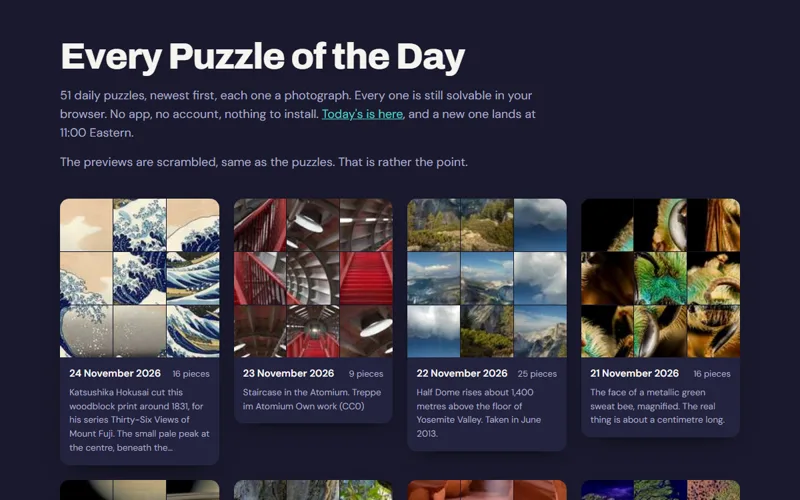
Phuzzles (also searched as Phuzzle of the Day or Phuzzles daily photo puzzles) is a free browser tile-swapping game by Rebel Studios. Every day at 11:00 AM Eastern, a fresh public-domain photograph—ranging from fine-art woodblock prints and museum architecture to macro wildlife and mountain landscapes—is sliced into a square grid and scrambled using a shared daily seed.
Unlike traditional sliding puzzles that trap you around a single blank space, Phuzzles lets you swap any two pieces directly on the board. Because every player receives the exact same initial scramble, you can compare your total swap count against the board's mathematical par (fewest swaps) before reading the historical or curatorial note tucked underneath the finished picture. Even better, the embedded 51+ daily puzzle archive stays unlocked in your browser with no app, account, or sign-up required.
- Pick today's featured board or choose any scrambled card from the 51+ daily archive (labeled by date and piece count).
- Swap misplaced tiles two at a time until every piece locks into its home cell.
- Watch for the subtle teal inner border confirming a tile has landed in its exact home position.
- Complete the photograph to remove the grid lines and reveal the story note hidden beneath it.
Controls (Desktop & Mobile)
- Desktop (Mouse & Keyboard): Click one tile to highlight it in coral, then click a second tile to swap their positions—or click and drag one piece straight onto another. Because every tile is built as an accessible button, you can also navigate cells with Tab and press Enter or Space to select and swap pieces. Press and hold Peek below the board to briefly view the unscrambled photo.
- Mobile & Tablet (Touch): Tap two tiles sequentially to swap them, or drag and drop a tile onto its target square with your finger. Press and hold the Peek button anytime you need a quick reference check, and tap Fullscreen beneath the Bop Arcade stage for a larger grid view.
Grid sizes & par swaps quick reference
Archive and daily boards scale across four square grid sizes, each scrambled to guarantee a meaningful par target:
| Difficulty Tier | Grid Layout | Typical Par Target | Key Visual Signal |
|---|---|---|---|
| Easy | 3 × 3 (9 pieces) | ~4 swaps | Fast warm-up; solve corners and center first |
| Medium | 4 × 4 (16 pieces) | ~7 swaps | Standard daily size; track Pieces in place counter |
| Hard | 5 × 5 (25 pieces) | ~11 swaps | Match horizon lines, textures, and lighting gradients |
| Expert | 6 × 6 (36 pieces) | ~16 swaps | Use Peek early to map subtle background regions |
Practical tips to hit par in Phuzzles
- Hunt for mutual two-swaps first. Whenever Tile A is sitting in Tile B's home spot and Tile B is sitting in Tile A's spot, a single swap locks two teal-ringed pieces into place at once—the fastest way to match the board's par count.
- Anchor high-contrast edges before sky or foliage. Architectural lines, coastlines, and portrait borders give unmistakable alignment cues, narrowing down ambiguous sky or water tiles for the final swaps.
- Use Peek strategically before moving. Holding Peek does not add to your swap counter, so study the full composition once at the start to avoid wasted exploratory swaps.
- Resume anytime. Half-solved boards save automatically in your browser storage so you can pick up right where you left off.
Enjoy photography-based and visual daily brainteasers? Test your historical eye by dating five archival snapshots in Chronophoto, try six-guess warehouse price estimation in Costcodle, or check our Perceptle Guide for five-round sensory S-Rank tips.