

What is Pacenote Rally?
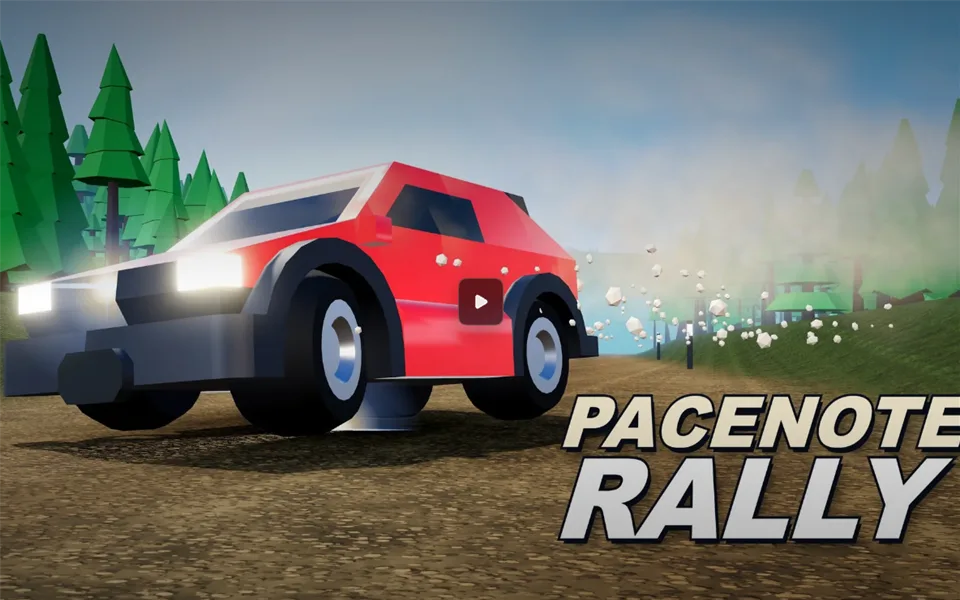
Pacenote Rally is an indie nighttime arcade rally game created by lumine and served via Wavedash’s official cross-site web player. Every stage drops you onto unlit gravel roads with a headlight beam that reaches only about 30 metres ahead. At rally speed, waiting until you actually see a bend in the headlights is already too late.
Instead, you drive by your co-driver’s pace notes (pacenotes)—clear directional arrows paired with a 1-to-6 corner severity rating that tells you what lies ahead in the dark before your car ever reaches the braking zone.
Tested keyboard & mobile touch controls
Before adding Pacenote Rally to Bop Arcade, we verified the full control set across desktop keyboards and touchscreens:
Desktop keyboard controls
- Steer Left / Right:
Left/RightArrow keys orA/D - Brake:
DownArrow key orS - Pause:
P - Quick Restart Stage:
R(fast reset when you miss a corner entry) - Mute / Unmute Audio:
M - Open Garage (after a stage):
G
Mobile & tablet touch controls
- Steer: Hold the left side or right side of the screen.
- Brake: Touch and hold both sides of the screen simultaneously.
- Orientation tip: Tap Fullscreen below the player on phones so the stage fills your screen cleanly with zero accidental page scrolling.
1–6 pacenote severity & braking timing reference
Unlike some real-world rally numbering conventions where 6 is fastest, Pacenote Rally counts upward in tightness: 1 is a fast sweep, and 6 is a tight hairpin. Keeping this scale straight is the fastest way to stop flying off the gravel at night:
| Note Grade | Corner Shape | When to Brake | Gravel Line & Throttle Exit |
|---|---|---|---|
| 1 | Very fast, gentle bend | No brake needed; stay flat or feather lift | Commit smoothly early and clip the inside edge |
| 2 | Fast sweeping turn | Minimal tap only if entering off-line | Keep momentum high; let the car drift naturally |
| 3 | Medium-speed corner | Brief early brush just as the note moves up | Turn in smoothly while straightening out of the apex |
| 4 | Medium-tight bend | Deliberate brake before the turn enters headlights | Release brake mid-corner so the front grips the exit |
| 5 | Sharp slow corner | Firm early braking straight ahead before turning | Avoid sudden late steering while still locked on the brakes |
| 6 | Tight hairpin | Heavy, early braking well ahead of the beam | Slow right down, rotate cleanly, and accelerate straight out |
Night headlight vision & gravel car control tips
- Keep your eyes on the pacenote card, not the end of your beam. Your 30-metre headlight cone only confirms the edge of the road and the apex once you are already committed. Treat the co-driver call as your actual horizon, and glance down at the road only to position the car inside the gravel banks.
- Brake in a straight line before turning in. Gravel rewards tidy weight transfer. Scrub off speed with
S/Down(or holding both screen halves on mobile) before cranking the wheel into a 4, 5, or 6 bend; turning hard while panic-braking washes your speed wide into the rough. - Ease off the brake as the road opens up. Holding the brake too long past the apex stalls your acceleration on the next straight. As soon as you see the straight ribbon open in your headlights, release the brake and unwind the steering.
- Use
Rto drill tricky corners. Whenever a 5 or 6 hairpin catches you out early in a stage, hitRfor an instant restart while the exact sequence of notes is still fresh in your head. - Check the Garage (
G) between stages. Completing a stage unlocks garage access so you can stay tuned between runs.
Player source & backup access
This page embeds the official cross-site player provided by Wavedash (wavedash.com) for lumine’s Pacenote Rally. If your browser or strict corporate network blocks the embedded player frame, a Retry player button and an Open on Wavedash fallback link appear automatically after a short wait—or use the Open on Wavedash button right below the cover anytime.