



How to play Costcodle
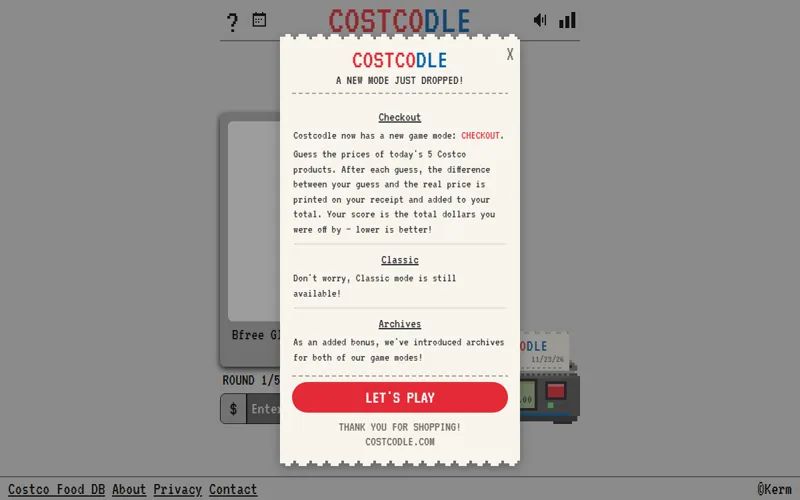
Costcodle (also searched as Costcodle game or Costco Wordle) is a free daily browser price-guessing game created by Zak Kermitz. Every day, the game displays a real Costco warehouse product—from bulk snacks and Kirkland Signature staples to household goods and electronics—along with its package size. Your challenge is to guess its price in 6 tries or fewer.
You do not need to hit the exact penny to win. Any guess that lands within 5% of the actual price (inclusive) wins the round immediately.
- Inspect the product photo, brand, and exact pack count or weight shown on the card.
- Enter a dollar amount (for example,
14.99or29.49) and submit your guess. - Read the color and directional arrow feedback to see whether the true price is higher or lower, and how close you are.
- Narrow down your range within 6 guesses to keep your daily streak alive.
Controls (Desktop & Mobile)
- Desktop: Click the price input box, type numbers and a decimal point using your keyboard, and press Enter (or click Submit) to lock in each guess.
- Mobile: Tap the price field to open the numeric keypad, enter your dollar estimate, and tap Submit. Use Fullscreen below the player for a cleaner view on narrow screens.
Price feedback & win-threshold quick reference
After every guess, Costcodle gives two signals—a Higher / Lower arrow and a proximity color—so you can binary-search the true price efficiently:
| Feedback Tier | Distance from Actual Price | What to Do Next |
|---|---|---|
| Win (Green / Check) | Within ±5% of the real price | Round won! Share your spoiler-free grid |
| Close (Yellow) | Within ±25% of the real price | Adjust moderately in the arrow's direction |
| Far (Red / Neutral) | More than 25% away | Make a bold jump higher or lower |
| Up / Down Arrow | Actual price is higher or lower than your guess | Sets your new floor or ceiling bound |
Practical tips to win Costcodle faster
- Watch Costco price endings. Real Costco items commonly end in
.99(regular price),.97(clearance), or.49/.79(manufacturer special). While the ±5% margin gives you breathing room, anchoring on.99helps keep estimates realistic. - Check unit count and weight first. Warehouse club packs are often 2× to 4× larger than standard grocery sizes. Multiply a normal supermarket unit price by the pack count, then trim 15–25% for bulk discount.
- Bracket aggressively on Guess 1 and Guess 2. If Guess 1 comes back Far (Red), double or halve your estimate rather than nudging by a few dollars—you want to hit the Yellow (±25%) zone by Guess 2 or 3.
- Try Checkout Mode. Beyond the classic single-item daily puzzle (resetting at 00:00 UTC), check inside the player for Checkout Mode, where you estimate five items in a row and aim for the lowest total dollar error.
Looking for more daily guessing games? Try Chronophoto to date historical photos or Noillirk to guess the crowd's #1 answer.